


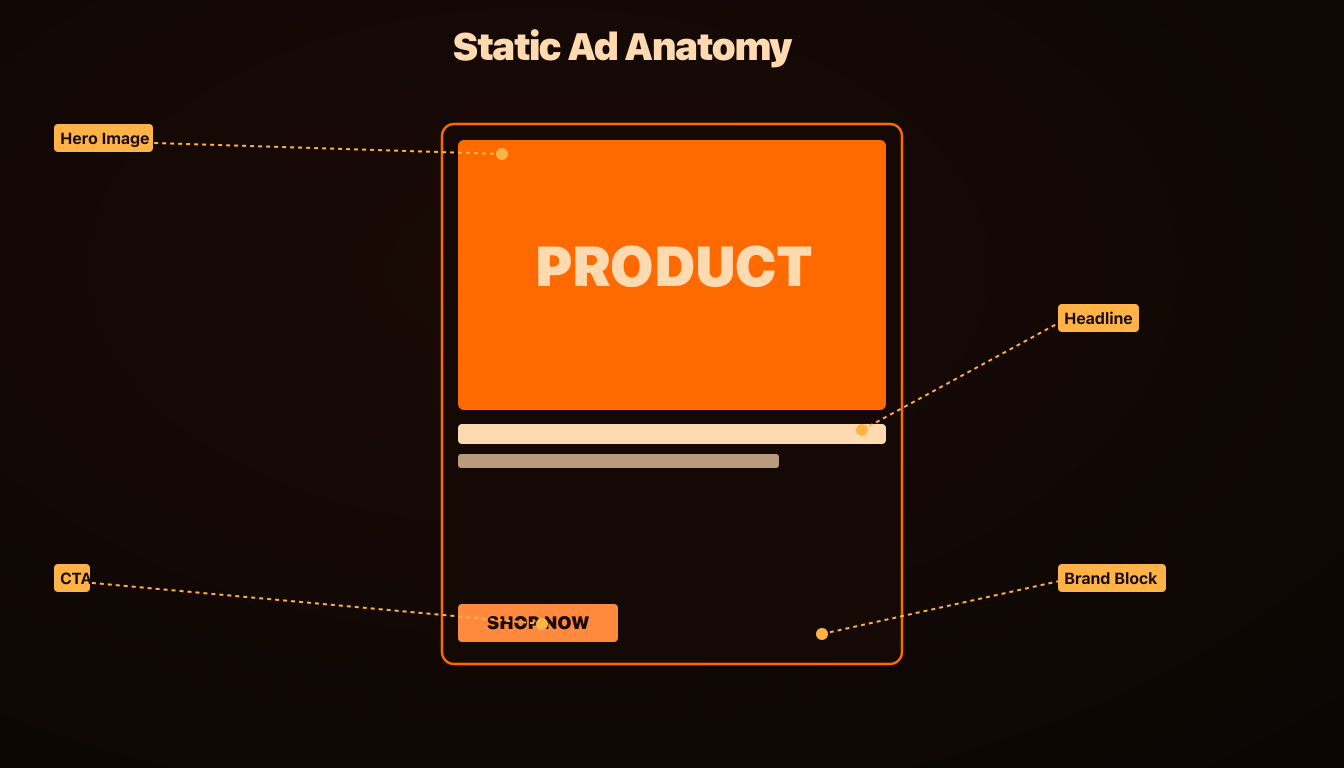


A useful static ad gives a reader one reason to pay attention and one next step. These nine layouts are starting points for organizing your own product images, copy and evidence. None is a universal winner: audience, offer, landing page, placement and execution all affect results.
Download and edit the templates
The gallery above includes nine original AdRiseLab wireframes in square (1080 × 1080) and portrait feed (1080 × 1350) formats. Download an individual SVG or the complete ZIP. No signup is required, and you may adapt them for your business or client work.
Import an SVG into an editor that supports the format, replace the image panels, edit the text, and apply your brand colors. Text and shapes remain editable, although import behavior can vary between editors. Export a PNG or JPG, then preview the actual placements in Ads Manager. These files are feed layouts; a Stories or Reels version needs a separate 9:16 composition.
How to choose a static ad layout
Start with the evidence you already have. A useful customer quote fits a Quote Card. A product with details people overlook fits Product + Callouts. A process with meaningful differences fits a Comparison Grid. If you have no reviews or measured outcomes, use a product feature or use case instead of manufacturing social proof.
Template 1 — Quote Card
Use a customer quote when the buyer needs reassurance about a specific concern. Keep the excerpt short enough to read at phone size and retain the original meaning. Include a real attribution; do not add a star rating unless it accurately reflects the source.
Watch for: A quote that sounds polished but cannot be traced back to a customer is not evidence.
Download Quote Card — square SVG · Download portrait SVG
Template 2 — Stat Drop
Put a documented product specification or measured finding in the largest type. Add the unit, source, timeframe and comparison basis where relevant. A product capacity or material specification is often a better starting point than a broad claim about customer outcomes.
Watch for: A large number without context can mislead. This download contains a placeholder, not an AdRiseLab customer survey.
Download Stat Drop — square SVG · Download portrait SVG
Template 3 — Before / After Split
Use matched framing to explain a real, visible change: for example, a workspace before and after organizing it. Label the timeframe and avoid changing lighting or scale to exaggerate the difference.
Watch for: Check the advertising rules for your product and placement before using a transformation concept. A layout is not approval to make health, body-image or other restricted claims.
Download Before / After Split — square SVG · Download portrait SVG
Template 4 — Numbered Benefit List
Choose three benefits that answer different buying questions. Pair each with a specific product detail. The download gives each benefit its own row so the message can be scanned without reading a paragraph.
Watch for: Three versions of “better quality” are one claim repeated. Use the space to explain a meaningful difference.
Download Numbered Benefit List — square SVG · Download portrait SVG
Template 5 — Product + Callouts
Keep the product visible and attach short labels to the details a shopper might miss in a pack shot. Use a real specification for each callout and leave room around the product.
Watch for: If callouts hide the item or require tiny text, simplify the ad instead of shrinking everything.
Download Product + Callouts — square SVG · Download portrait SVG
Template 6 — Comparison Grid
Compare two options on identical criteria, with current and verifiable details. The alternatives might be two workflows or two product configurations; a competitor comparison needs the same care.
Watch for: Do not invent a weak alternative to make your product look better. Check versions, prices and conditions before making a named comparison.
Download Comparison Grid — square SVG · Download portrait SVG
Template 7 — Stack of Reviews
Select real review excerpts that cover different considerations, such as setup, everyday use and fit. Keep an attribution and source for each. This template deliberately includes no invented ratings or customer names.
Watch for: Repeated generic praise is less informative than specific feedback. Never turn generated sample copy into a supposed customer endorsement.
Download Stack of Reviews — square SVG · Download portrait SVG
Template 8 — Bold Statement
Choose one concrete reason to care and let typography carry it. Add a supporting line that explains the offer or product detail, followed by a clear next step.
Watch for: “The best” and “the only” need evidence. If you cannot substantiate the claim, replace it with a feature or use case you can show.
Download Bold Statement — square SVG · Download portrait SVG
Template 9 — Founder Quote
Use a real founder photo and their own explanation of why the product exists. The quote should connect the origin story to a customer need. Put the name and role near the quote.
Watch for: An AI presenter is not the founder. Do not use a synthetic portrait as evidence of a real person’s endorsement.
Download Founder Quote — square SVG · Download portrait SVG
Want to test these layouts on your own product without designing each one? The Facebook ad generator turns a product URL into image ads with copy in 1:1, 4:5 and 9:16, and nothing goes live until you review and confirm it. Plans start at $39 a month.
Test a layout against a clear question
Choose a control and write the hypothesis before launching. For example: does a feature-callout layout communicate the product more clearly than the current pack shot? Keep the offer, landing page and audience context comparable. If you change the hook and layout together, interpret the result as a concept test rather than proof that the layout alone caused the difference.
Compare the business outcome you are trying to improve: purchases, qualified demos or another defined conversion. CTR can help explain attention, but a higher CTR with worse acquisition cost is not necessarily an improvement. Budget and conversion volume determine how much evidence you can collect; this kit has no guaranteed testing duration or performance uplift.
Use the creative testing framework to plan comparisons. If an established ad weakens over time, the Creative Fatigue Checker can organize an initial review of CTR, age and frequency. Confirm changes against your account data before replacing it.
Generate product-based creative concepts with AdRiseLab
These SVGs are a standalone layout kit. The AI Facebook ad generator is a separate workflow for creating visual and copy concepts from product inputs, reviewing them, and publishing approved ads to Meta. The downloadable layouts are not a promise of one-click SVG import or exact template reproduction inside AdRiseLab.
For store-specific briefs and a worked margin example, see the dropshipping ad maker guide. For software campaigns, see the SaaS Facebook ad examples.
Related Reading
These nine layouts cover static. For the moving equivalent, 12 Meta video ad script templates gives the same shot-by-shot treatment to video, with one named open variable per template so the variants stay comparable. Produce every ratio while you are there: Meta is removing placement controls from ad sets, which makes the crop the only reliable control over how a layout renders. Once the ads are live, what counts as a good hook rate is the triage metric that decides which layouts earn a second round. To keep each round comparable, write it up with the free Facebook ad creative brief template, which fixes one variable per test.
Sources and editorial note
The SVG files and layout explanations are original AdRiseLab educational resources. This page does not present a measured A/B test or benchmark dataset. The September 7 update replaces the earlier unsupported 32% uplift claim with downloadable layouts and guidance that readers can inspect and use.