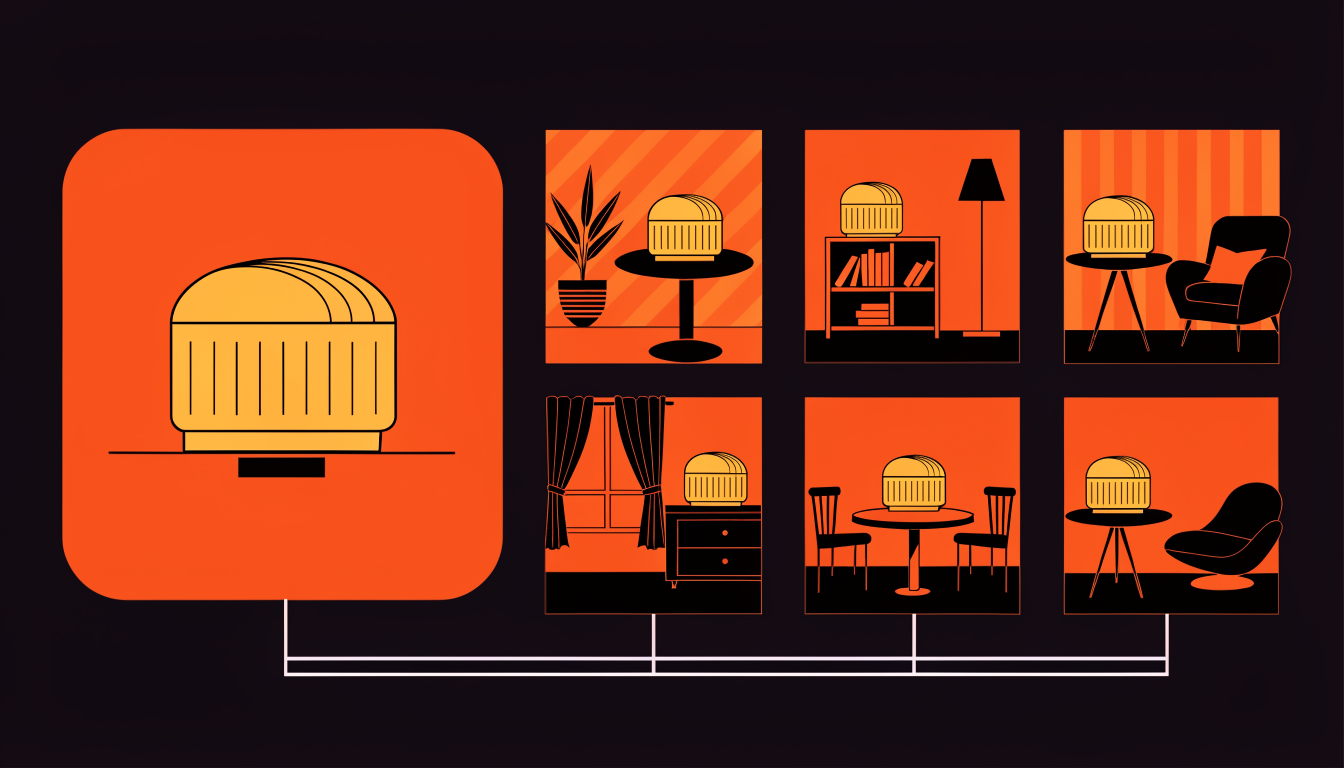
Product photography for advertising is expensive, slow, and hard to scale. A single professional product shoot costs $500-$2,000, takes days to schedule, and delivers a fixed set of images that can't be easily adapted for different campaigns, seasons, or audiences. For Meta advertisers who need continuous creative diversity under the Andromeda algorithm, this traditional approach creates a bottleneck that directly limits performance.
AdRiseLab's Product Shoots feature solves this by turning any product photo, even a basic smartphone photo against a white background, into professional advertising visuals in seconds. No photographer, no studio rental, no Photoshop skills, no 3-5 day turnaround. Upload, select a scene and mood, and get production-quality visuals that rival professional photography at a fraction of the cost and time.
Why Product Visuals Matter More Than Ever in 2026
The Andromeda algorithm evaluates visual quality as a primary signal when deciding which ads to show and to whom. Low-quality product images, poorly lit phone photos, inconsistent backgrounds, amateur compositions, are penalized in the delivery auction. The algorithm has learned that users engage less with low-quality visuals, so it deprioritizes them, resulting in higher CPMs, lower impression share, and worse placement quality.
But visual quality alone isn't enough. Andromeda also rewards visual diversity. Running the same product photo across all your ads, regardless of how professional it looks, limits the algorithm's ability to segment audiences. Different visual contexts attract different audience micro-segments. A product shown in a minimalist studio setting appeals to a different psychological profile than the same product in a cozy lifestyle scene. AdRiseLab Product Shoots lets you create dozens of visual contexts for a single product, giving the algorithm the diversity it needs to discover your highest-value audiences.
Professional product photography is also becoming a competitive necessity. With AI-powered tools making professional-quality visuals accessible, the baseline quality expectation has risen. Brands still running unedited product photos from their phones are competing against AI-enhanced visuals, and losing the attention battle before the copy is even read.
How Product Shoots Works: Step by Step
The workflow is designed to be intuitive enough for anyone, no design background required, while producing output that meets professional advertising standards.
Step 1: Upload Your Product Photo. You can upload any product image, a professional studio shot, a phone photo against a white background, or even a product image from your website. The AI's background removal engine handles the extraction, isolating your product from whatever background it's on. For best results, use images where the product is clearly visible and well-lit, but the system handles a wide range of input quality. It even works with transparent-background PNGs if you've already isolated the product.
Step 2: Select a Scene Category. AdRiseLab offers six scene categories, each designed to serve different campaign objectives and audience contexts:
Lifestyle scenes place your product in real-world usage contexts, kitchens, bathrooms, desks, living rooms, dining tables, bedrooms, outdoor patios. These scenes work best for products where showing the usage context increases purchase intent. A coffee mug on a cozy desk with morning light tells a different story than the same mug on a white background. Lifestyle scenes consistently generate the highest engagement rates for DTC and consumer goods brands.
Studio scenes provide clean, professional product photography with controlled lighting and minimal backgrounds. These are ideal for product catalog imagery, comparison-style ads, and brands with a minimal aesthetic. Studio scenes come in variations: white infinity curve, colored gradient backgrounds, dramatic side lighting, top-down flat lay, and editorial-style compositions.
Nature scenes place products in outdoor settings with natural elements, greenery, water, stone, wood, flowers, sand. Particularly effective for skincare, wellness, organic food, sustainable products, and any brand positioning around natural or eco-friendly values. The AI matches the natural elements to the product's color palette for visual cohesion.
Urban scenes use city environments, street scenes, modern architecture, café tables, subway stations, office spaces, rooftops with city skylines. These scenes work well for fashion, accessories, tech products, and brands targeting metropolitan audiences.
Seasonal scenes provide holiday and season-specific contexts, autumn leaves, winter snow, spring flowers, summer beach, Valentine's Day, Halloween, Christmas. This category is especially powerful for campaign adaptation: upload one product photo and generate visuals for every seasonal campaign without a single reshoot.
Abstract scenes use artistic backgrounds, geometric patterns, color gradients, textured surfaces, paint splashes, holographic effects, 3D geometric shapes. These scenes work best for bold, modern brands, Gen Z targeting, and products where the visual style communicates innovation or creativity.
Step 3: Choose a Mood. Beyond scene categories, you select a mood that controls the overall visual tone:
Warm (golden tones, soft lighting, inviting atmosphere, ideal for food, home, and comfort products), Clean (bright, minimal, white-space-focused, ideal for tech, SaaS, and premium consumer goods), Bold (high contrast, saturated colors, dramatic lighting, ideal for fitness, energy, and youth-oriented products), Elegant (muted tones, refined styling, luxury feel, ideal for fashion, beauty, and premium positioning), Fresh (bright greens and blues, airy composition, ideal for health, wellness, and organic products), and Dark (moody lighting, deep tones, ideal for premium/luxury positioning, nightlife, and sophisticated audiences).
The mood selection ensures that generated visuals match your brand personality and campaign tone, maintaining consistency even as you generate dozens of variations. A single product can look completely different, and attract completely different audiences, when rendered in a Warm Lifestyle scene versus a Bold Urban scene versus an Elegant Studio scene.
AI-Powered Image Processing: What Happens Behind the Scenes
The visual quality of Product Shoots output comes from a sophisticated image processing pipeline that handles the technical challenges professional photographers and retouchers normally manage manually.
Background removal uses a multi-layer segmentation model that accurately extracts products, including challenging elements like transparent glass, fine mesh, thin wires, or fuzzy textures, from any background. Unlike basic background removers that leave halos or cut into the product, AdRiseLab's extraction preserves edge detail and transparency.
Lighting matching is one of the most critical, and technically challenging, aspects of convincing product placement. The AI analyzes the lighting conditions in the selected scene (light direction, intensity, color temperature, ambient vs. directional ratio) and adjusts the product's lighting to match. This means the product looks like it was actually photographed in that scene, not pasted on top of it.
Shadow generation creates physically accurate shadows based on the scene's light sources. Contact shadows, drop shadows, and ambient occlusion are generated dynamically, grounding the product in the scene rather than making it float artificially.
Perspective correction ensures the product's viewing angle matches the scene's camera perspective. A product shot from a slight angle above won't look right in a scene photographed at eye level, the AI adjusts the product's perspective transform to match.
Color harmony ensures the product's colors complement the scene rather than clashing. The AI subtly adjusts scene elements' colors to create visual cohesion with the product, ensuring the final image looks like a single, intentionally composed photograph.
Brand Consistency Across All Generated Visuals
Every Product Shoots generation automatically applies your saved brand elements. Your brand colors influence the scene's accent elements and lighting tone. Your logo is placed according to your saved brand guidelines, corner position, size, opacity. Typography style preferences are maintained if text overlays are added.
This means you can generate 20 different product visuals across 6 scene categories, and every single one will be recognizably on-brand without manual adjustments. For agencies managing multiple client brands, the Brand Library feature ensures that switching between clients is as simple as selecting a different brand profile, no risk of accidentally using the wrong colors, logo, or visual style.
From Product Shoot to Ad Creative: The Complete Pipeline
The "Use in Ad" button is where Product Shoots connects to AdRiseLab's creative generation engine. Any generated product visual can be instantly converted into a full ad creative, with text overlays, CTAs, and hook copy automatically applied using the same Hook Diversity Matrix used in URL-based generation.
This means a single product photo can become dozens of unique ad creatives across multiple scenes, moods, and messaging angles. Here's the multiplication effect in practice: 1 product photo × 6 scene categories × 6 moods = 36 unique product visuals. Each visual × 10 hook-angle combinations = 360 unique ad creatives. Each creative × 3 format ratios = 1,080 total ad assets from a single product photo.
You won't need all 1,080, but having this level of creative potential means you'll never run out of fresh, diverse creative signals for the Andromeda algorithm. Most brands use Product Shoots to generate 20-40 unique visuals per product per quarter, converting the best performers into full ad creatives as needed.
Real-World Use Case: Seasonal Campaign Scaling
For e-commerce brands running seasonal campaigns, Product Shoots is especially powerful. Consider this workflow: upload one product photo at the start of the year. Generate visuals across Summer, Back-to-School, Halloween, Thanksgiving, Christmas, and New Year scenes. Convert each seasonal visual into 10 ad creatives with diverse hooks and messaging angles. Result: 60+ seasonal ad creatives from a single product photo, ready to deploy throughout the year without a single photoshoot.
A skincare DTC brand using this workflow reported reducing their product photography budget by 78% while increasing their creative output by 340%. Their Andromeda Creative Diversity Score improved from 42 (below average) to 87 (excellent), and their average CPA decreased by 23% over the following quarter.
Product Shoots vs. Traditional Photography vs. Generic AI
Traditional professional photography delivers the highest possible quality but at $500-$2,000 per session, 3-7 day turnaround, and a fixed set of images that can't be repurposed across seasons or contexts. Generic AI image generators (Midjourney, DALL-E) can create product-in-scene visuals but struggle with product accuracy, they generate approximations of your product rather than using your actual product image, leading to incorrect details, wrong colors, and brand inconsistency.
AdRiseLab Product Shoots occupies the optimal middle ground: it uses your actual product image (100% product accuracy), places it in professional-quality scenes (matching traditional photography quality), generates results in seconds (matching AI speed), and optimizes output for Meta's Andromeda algorithm (a capability neither traditional photography nor generic AI offers). For performance advertising where creative diversity and velocity matter as much as visual quality, Product Shoots delivers the best ROI of any available option. Get started with Product Shoots.
Related Reading
See how AdRiseLab generates 10 ad creatives from a single URL, combining Product Shoots with the full creative engine. Explore how AdRiseLab generates ad creative and where human review fits in the workflow. And explore AdRiseLab's creative generation pipeline for the full URL-to-ad workflow.