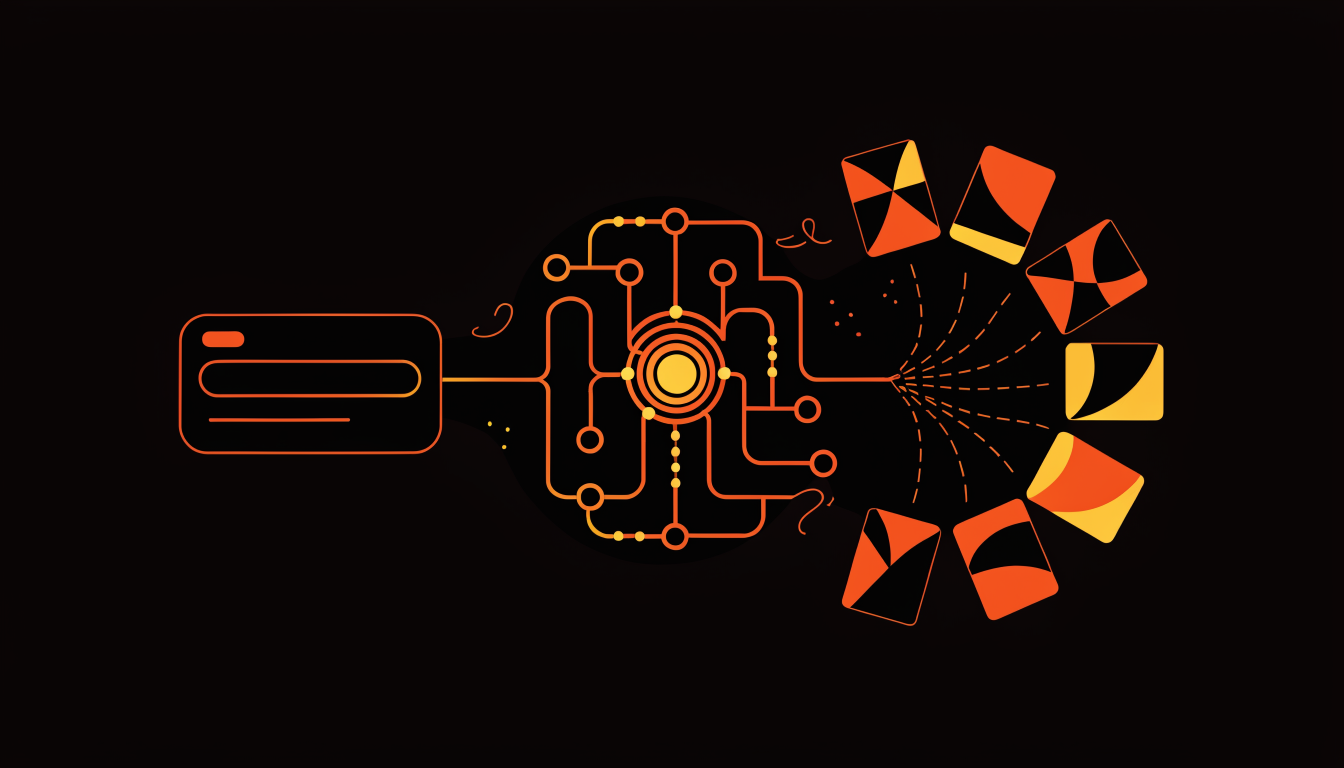
The core experience of AdRiseLab starts with a single input: a URL. You paste your product page, whether it's a Shopify listing, a direct-to-consumer landing page, an Amazon product page, or a WooCommerce store, and within 30 seconds, the platform delivers 10 unique, ready-to-publish Meta ad creatives. No brief writing, no design handoff, no revision cycles. But what happens in those 30 seconds is a sophisticated multi-step pipeline designed specifically for Andromeda-era advertising.
This article breaks down each step of the URL-to-creative pipeline, explaining the technology behind it and why each stage matters for Meta ad performance in 2026. Understanding this process helps you get more out of AdRiseLab and explains why the output consistently outperforms manually designed creatives in Andromeda-optimized campaigns.
Step 1: Intelligent Page Scanning and Data Extraction
When you paste a URL, AdRiseLab's AI engine visits the page and performs a comprehensive extraction that goes far beyond simple scraping. The system operates on multiple layers simultaneously.
On the visual layer, the AI identifies and categorizes every image on the page: hero product shots (front-facing, full product visibility), lifestyle images (product in context of use), detail close-ups (texture, material, craftsmanship shots), and supporting graphics (icons, badges, certifications). It also detects your brand logo by analyzing page header elements and favicon, extracts your primary and secondary brand colors from the CSS and dominant page palette, and identifies the overall visual style of your brand (minimal, bold, luxurious, playful, etc.).
On the content layer, the AI reads and parses product titles, descriptions, bullet points, pricing information, shipping details, customer reviews (if visible), and key selling propositions. It uses natural language processing to identify the most compelling product benefits, unique differentiators, and emotional triggers that can be translated into ad copy.
On the structural layer, the system identifies the product category (apparel, skincare, electronics, food, supplements, home goods, etc.), price positioning (budget, mid-range, premium, luxury), target demographic signals from page language and imagery, and any promotional offers or urgency elements (sales, limited editions, countdown timers).
This automated extraction replaces the traditional creative brief, the AI builds its own brief from your actual product page, ensuring every creative is grounded in real product data rather than summarized marketing language. This is particularly important for accuracy: manual briefs often introduce interpretation drift where the designer's output doesn't perfectly reflect the product's actual positioning. AdRiseLab eliminates this gap by working directly from source data.
Step 2: Hook Diversity Matrix, The Core Differentiator
This is where AdRiseLab fundamentally differs from generic AI image generators like Midjourney, DALL-E, Canva Magic Design, or even dedicated tools like AdCreative.ai. The platform uses a proprietary Hook Diversity Matrix that combines 8 proven hook strategies with 5 messaging angles to ensure no two creatives send the same signal to the Andromeda algorithm.
The 8 hook strategies are each designed to trigger different psychological responses and attract different audience micro-segments:
Question Hook, poses a problem the viewer identifies with ("Still using sunscreen that leaves white residue?"). This hook works by activating the viewer's problem awareness and creating immediate relevance. Bold Statement Hook, leads with a surprising claim or data point ("14,000 five-star reviews can't be wrong"). This hook leverages social validation and pattern interruption to stop the scroll. Social Proof Hook, highlights reviews, ratings, user count, or celebrity endorsements ("The moisturizer dermatologists actually recommend"). Curiosity Hook, teases a result without revealing how ("The 3-second skincare trick that replaced my entire routine"). Urgency Hook, creates time-based or scarcity pressure ("Last chance: 40% off ends tonight"). Benefit-First Hook, leads with the primary outcome the customer will experience ("Wake up to visibly brighter skin, every single morning"). Contrast Hook, presents a before/after or comparison frame ("$200 serum results. $29 price tag."). Problem-Solution Hook, names the specific pain point, then presents the product as the answer ("Tired of ads that don't convert? There's a reason, and a fix.").
Each hook is paired with one of 5 messaging angles, benefit-focused (emphasizes outcomes), feature-focused (emphasizes specifications and ingredients), emotional (connects to feelings and aspirations), rational (uses logic, data, and comparisons), or social (leverages community, trends, and belonging). The matrix ensures that across 10 generated creatives, every hook-angle combination is unique, maximizing the signal diversity that the Andromeda algorithm uses to discover and match audience segments.
Step 3: Andromeda Entity ID Optimization
Here's a technical detail that matters enormously for performance, and one that most advertisers and even most ad tools completely overlook. Meta's Andromeda algorithm assigns each creative an Entity ID, a unique identifier that determines how the creative is evaluated in the delivery system. Creatives that look too similar to each other (same visual structure, same text placement, same color scheme) can be clustered under similar Entity IDs, which means the algorithm treats them as redundant rather than diverse.
This is why simply resizing the same creative or changing one word in the headline doesn't give you meaningful creative diversity. The algorithm can detect that these "variations" are structurally identical and will cluster them, effectively treating your 10 "different" ads as 2-3 distinct signals.
AdRiseLab's generation engine is specifically designed to produce creatives with maximum Entity ID separation. Each of the 10 outputs varies across multiple visual dimensions simultaneously: layout structure (product left vs. centered vs. right, text above vs. below vs. overlaid), text positioning and hierarchy (headline size, body copy placement, CTA location), color treatment (warm vs. cool toning, high contrast vs. muted, solid backgrounds vs. gradient vs. photo backgrounds), compositional balance (symmetrical vs. asymmetrical, minimal whitespace vs. dense information), and visual focal point (product-dominant vs. lifestyle-dominant vs. text-dominant).
By varying these structural elements systematically, AdRiseLab ensures that Andromeda registers each creative as a genuinely distinct signal. This is the difference between running 10 ads and actually giving the algorithm 10 different signals to optimize against. In our internal testing, campaigns using AdRiseLab-generated creatives showed 35-45% higher signal diversity scores compared to campaigns using manually designed variations from the same designer or agency.
Step 4: Multi-Format Output for Full Placement Coverage
Every generation run produces creatives in three format ratios optimized for Meta's primary ad placements: 1:1 (1080×1080 square, optimal for Facebook Feed and Marketplace), 4:5 (1080×1350 vertical, optimal for Instagram Feed, this is the highest-performing format for engagement), and 9:16 (1080×1920 full vertical, optimal for Instagram Stories, Facebook Stories, and Reels).
You don't need to request specific formats, the system automatically generates all three for every creative, ensuring full placement coverage from a single generation. This is critical because Meta's Advantage+ placement optimization performs best when it has format-appropriate creatives for every placement. Running a 1:1 creative in Stories, for example, results in significant black space that reduces engagement and wastes impression budget. AdRiseLab eliminates this problem by ensuring every creative is native to every major placement.
Each format isn't simply a resize, the AI re-optimizes the layout, text positioning, and visual hierarchy for each aspect ratio. A headline that works centered in a 1:1 square may need to be repositioned in a 9:16 vertical to maintain visual balance and readability. The product image cropping is adjusted to maintain prominence across formats. This format-aware generation is another area where AdRiseLab surpasses generic tools that simply crop or letterbox a single design.
Step 5: The Brand Library System
For advertisers managing multiple brands or products, AdRiseLab's Brand Library stores your brand assets and guidelines as reusable profiles. Each brand profile includes your logo (with placement preferences, corner position, size, opacity), primary and secondary brand colors, typography style preferences (bold/clean, playful/sophisticated, minimal/information-dense), tone of voice guidelines, and any mandatory brand elements (taglines, certifications, trust badges).
When you generate creatives, the AI applies the active brand profile to ensure every output is on-brand without manual review. You can switch between brand profiles instantly, generate 10 creatives for Brand A, switch profiles, paste Brand B's product URL, and generate 10 more. For agencies managing multiple client accounts, this feature eliminates the context-switching and brand consistency concerns that slow down multi-account creative production.
Step 6: Edit, Refine, and Publish
After generation, every creative is fully editable within AdRiseLab's built-in editor. You can modify text overlays (headline, body copy, CTA text), swap the background scene while keeping the product, adjust brand colors and logo placement, change the font style and text hierarchy, add or remove design elements like badges, borders, or pattern overlays, and preview how the creative looks across different placements with a real-time placement simulator.
When you're satisfied, one-click Meta publishing pushes the creative directly to your selected ad account, campaign, and ad set, no downloading, no uploading to Ads Manager, no manual naming conventions. AdRiseLab auto-names each creative with a structured convention (product name + hook type + messaging angle + format) that makes it easy to identify in your Ads Manager reporting.
A Worked Example: One Skincare URL, Ten Outputs
The pipeline is easier to judge against a concrete run than a description. Take a typical DTC skincare product page — a $42 vitamin C serum on Shopify, with five product images, a benefits list, an ingredient table, and 340 reviews averaging 4.6 stars.
Extraction returns: 2 usable hero shots (the other three are lifestyle crops too tight to re-frame), brand colors #1B4332 and #F4F1DE pulled from the header and button styles, price $42, four benefit claims ("brightens in 14 days", "fragrance-free", "vegan", "dermatologist-tested"), and the review count and average. The ingredient table is parsed but mostly discarded — INCI names do not make good ad copy.
The ten generated creatives then distribute across the hook-angle matrix rather than clustering. In this run: Question hook + rational angle ("Still waiting 3 months for a vitamin C to do anything?"), Social proof hook + social angle (leads with the 340 reviews), Bold statement + benefit ("Brighter in 14 days, or it is not vitamin C"), Problem-agitate + emotional, Comparison hook + feature (fragrance-free vs. the category default), Curiosity hook + benefit, Authority hook + rational (the dermatologist-tested claim), Offer hook + rational (price anchoring at $42), Before/after framing + emotional, and Testimonial hook + social. Each pairing also lands on a different layout skeleton — product-left with a text block, full-bleed with an overlay bar, split-panel, badge-stacked, and so on.
Two things are worth noting about that output, because they set realistic expectations. First, roughly two or three of the ten are usually the ones worth scaling — the point of generating ten is not that all ten are winners, it is that ten distinct Entity IDs give Andromeda a real spread to choose from instead of three near-duplicates. Second, the copy is a first draft calibrated to the page: the "brightens in 14 days" claim came off the product page, and whether you can legally run it is your call, not the model's.
Where the URL-to-Creative Approach Breaks Down
It is more useful to be specific about the failure cases than to pretend there are none, because they are predictable and mostly avoidable.
Thin or image-poor product pages. If the page has one low-resolution product image and a two-line description, extraction has almost nothing to work with, and the ten outputs will be ten treatments of the same photo. The fix is upstream: pages with at least two or three distinct product images produce visibly better creative spreads.
JavaScript-gated content. Product pages that render their descriptions, pricing, or reviews only after a client-side fetch — common on heavily customized headless storefronts and some Amazon layouts — can return partial extractions. If the generated copy is oddly generic, an incomplete extraction is usually why.
High-consideration and regulated categories. Fragrance, financial products, supplements with health claims, and anything in Meta's restricted categories are the weakest fit. These convert on brand, trust, and compliance-safe language rather than on a hook that stops the scroll, and generated copy pulled from a product page will happily reproduce a claim you are not allowed to run. Every creative in these categories needs a human compliance pass before it publishes.
Brand-campaign work. This is a performance-advertising tool. For a brand film, a launch campaign, or anything where the creative itself is the message, a generated creative set is the wrong instrument regardless of how good the output looks.
Performance Data: URL-to-Creative vs. Traditional Workflow
The entire flow, from URL paste to published Meta ad, takes under 5 minutes for 10 creatives across 3 formats (30 total assets). Here's how that compares to the traditional workflow:
Traditional workflow: Brief writing (1 day) → Designer handoff (2-3 days) → Revisions (1-2 days) → Export and upload (half a day) = 5-7 business days for 3-5 creatives. Cost: $50-$200 per creative in designer time or agency fees.
AdRiseLab workflow: Paste URL (10 seconds) → AI generation (30 seconds) → Review and light editing (3-4 minutes) → One-click publish (10 seconds) = Under 5 minutes for 10 creatives × 3 formats = 30 total assets. Cost: included in plan pricing.
But the speed difference is only part of the value. The more significant advantage is what consistent creative velocity does to your Meta ads performance. Advertisers using AdRiseLab report maintaining 15-25 active creatives with high signal diversity scores, compared to the industry average of 3-7 active creatives. This increased signal diversity translates directly to lower CPAs, higher ROAS, and more stable performance over time, because the algorithm has more creative vectors to explore and optimize against.
Frequently Asked Questions About AdRiseLab URL-to-Creative
What types of URLs work with AdRiseLab? Any product page with visible product images and descriptions, Shopify, WooCommerce, Amazon, BigCommerce, Squarespace Commerce, custom e-commerce sites, and even landing pages. The AI adapts its extraction to the page structure.
Can I use AdRiseLab for non-e-commerce products? Yes. SaaS landing pages, app store listings, service pages, and even content/media pages can be used as generation inputs. The AI adjusts its creative approach based on the product category it detects.
Do I need design skills to use AdRiseLab? No. The platform is designed for media buyers, marketers, and founders, not designers. The AI handles all visual design decisions. The editing interface uses simple point-and-click controls, not professional design tools.
How does the quality compare to a professional designer? For performance advertising (optimized for conversions, not brand campaigns), AdRiseLab's output consistently matches or exceeds manually designed creatives, primarily because the AI optimizes for Andromeda signal patterns that most designers aren't trained to consider. For premium brand campaigns where every pixel reflects brand craft, human designers still add value, and AdRiseLab works best as a first-draft generator that designers can refine.
Related Reading
See how AdRiseLab's Product Shoots feature turns a single product photo into 36 ad visuals. Explore how AdRiseLab generates ad creative and review the workflow before publishing. If you run the skincare category used in the worked example above, the beauty & cosmetics Meta ads benchmarks give you the CPA, ROAS and creative-lifespan numbers to judge the output against. And explore AdRiseLab's AI ad copy generation for Claude-powered Meta ad copywriting.