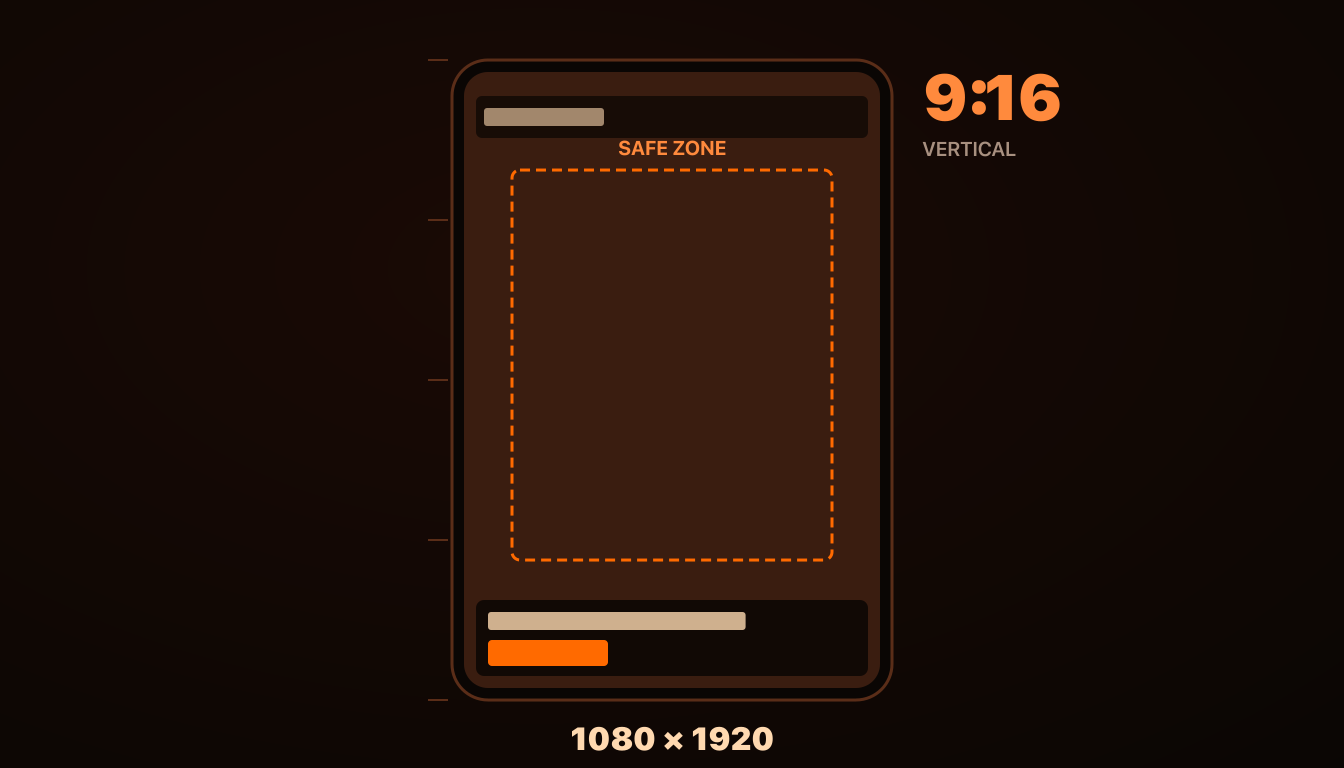
Vertical video has become the dominant ad format on Meta in 2026, but the production specs and platform-specific rules are still scattered across multiple Meta help pages and outdated 2022-era guides that no longer match current behavior. This guide is the consolidated production reference: exact specs, safe zones, the production checklist, and the seven mistakes that account for most of the underperforming 9:16 ads we audit. Check the Facebook versus Instagram placement data before deciding where to force 9:16 delivery.
Core Specifications
The current Meta-recommended specs for 9:16 vertical video ads in 2026:
Resolution: 1080×1920 pixels (9:16 aspect ratio). Meta accepts up to 4K (2160×3840) but compresses everything down at delivery, so 1080×1920 is the practical sweet spot.
Aspect ratio: Exactly 9:16. Meta will accept ratios from 4:5 up to 9:16 in vertical placements, but anything other than exact 9:16 gets letterboxed or auto-cropped in Reels delivery, hurting CTR. Because Meta removed placement controls from ad sets, one upload can be served in Reels, Stories and Feed, so supply each ratio instead of relying on a crop.
Frame rate: 30fps recommended. 24fps acceptable for cinematic intent. 60fps adds file size without meaningful viewer-side benefit on small screens.
Codec: H.264 video codec, MP4 container. Meta supports MOV and other containers but MP4 + H.264 is the fastest-loading combination across delivery channels.
Bitrate: 8-12 Mbps for video. Below 6 Mbps and compression artifacts become visible in motion; above 15 Mbps adds file size without quality benefit after Meta's recompression.
Audio: 128 kbps AAC codec, 48kHz sample rate, stereo. Mono works but loses dimensional feel for music-driven ads.
File size: Under 4GB hard limit. Practical target: under 200MB for fast upload and processing.
Duration: 15-30 seconds optimal for Reels, 60-second hard cap. For Stories: 15 seconds per card.
Safe Zones — Where Critical Content Must Live
Meta's UI overlays cover specific zones of every 9:16 ad. Content placed in these zones gets visually obscured or competes with caption text the algorithm auto-overlays. The safe zone — the area where critical content remains visible — is smaller than most teams realize.
Meta's Ads Guide asks you to keep the top 14%, the bottom 35% and 6% on each side of a 9:16 Reels or Stories ad free of text, logos and other key elements. On a 1080×1920 file that works out to:
Top margin: 269 pixels (14%). This zone holds the username badge, profile picture, and music sticker. Any text or critical visual in the top 269 pixels can get covered.
Bottom margin: 672 pixels (35%). This zone holds the CTA card (Shop Now button), caption text, like/share/save icons, and the audio source attribution. Anything in the bottom 672 pixels is at high risk of being obscured. Ads with a disclaimer should keep the bottom 40% clear.
Side margins: 65 pixels each side (6%). Minimal but real — like/comment buttons on the right edge intrude into this strip, and taller phones zoom the creative, which trims the edges.
The net safe zone for guaranteed visible content is roughly 950×979 pixels, starting 269 pixels from the top. To see it on your own file, run it through the safe zone checker, or drop the free safe zone overlay templates (PNG and SVG, 1080×1920 and 1440×2560) on your artboard. All headlines, product shots, faces, calls-to-action, and any critical text must live inside this central window. Designs that place text or CTAs near the edges look fine in your editing software and break in the actual Reels feed.
The 7 Most Common Production Mistakes
Mistake 1: Title text in the top 15% of the frame
Username overlays and music stickers occupy the top of the frame, and Meta asks for the top 14% (269 pixels) to stay clear. Title text placed in this zone gets partially or fully covered on many viewer devices. Fix: move all headline text to the 300-500 pixel range from the top.
Mistake 2: CTA in the bottom third of the frame
The bottom 35% (672 pixels) is covered by the CTA card, caption strip, and engagement buttons. Burned-in CTA text in this zone competes with Meta's native CTA, creating visual clutter. Fix: place your in-creative CTA between roughly 1,000 and 1,240px from the top (just above the platform CTA card).
Mistake 3: Logo or brand mark in frame 1
Opening with a logo or brand intro burns the first 1-2 seconds — exactly the window where TSR is decided. Logos belong in the closing frames, not the opening. Fix: open with the hook (motion, hook formula, problem statement). Save brand identification for the last 3-5 seconds.
Mistake 4: Wrong aspect ratio (1:1 or 4:5 uploaded as "vertical")
A 1:1 video uploaded for Reels placement gets letterboxed with black bars top and bottom, looking immediately like a recycled Feed ad. CTR drops 25-40% vs native 9:16. Fix: only upload exactly 9:16 (1080×1920) for Reels and Stories placements.
Mistake 5: Low bitrate compression artifacts
Some teams export at 3-4 Mbps to save file size, not realizing Meta compresses again at delivery. The result: visible compression banding, motion blur, color smearing — particularly in dark scenes and gradients. Fix: export at 8-12 Mbps minimum. Larger file, much better delivered quality.
Mistake 6: No burned-in subtitles
78% of Reels ads are watched sound-off in 2026. Ads without subtitles deliver only the visual half of their message to most viewers. Meta's auto-captions are not a substitute — they're inconsistent, off-brand, and disabled on many user devices. Fix: burn subtitles into the video file, in your brand typography, positioned in the central safe zone (not the bottom).
Mistake 7: End cards without action
The last 3 seconds of the video are often wasted on a logo reveal or fade-out. Better-performing ads use the last 3 seconds for a final CTA reinforcement: a specific action verb ("Tap to shop"), a specific incentive ("Free shipping today"), or a specific scarcity signal ("Only 47 left in stock"). Fix: design the last 3 seconds as deliberately as the first 3.
The Production Checklist
Before shipping any 9:16 vertical video ad, run this checklist:
1. Resolution exactly 1080×1920
2. Aspect ratio exactly 9:16
3. Format MP4 + H.264 + AAC
4. Bitrate 8-12 Mbps
5. Duration 15-30 seconds (or 15s per Story card)
6. All text between 269px and 1,248px from the top
7. In-creative CTA ends above 1,248px (not below)
8. Burned-in subtitles in safe zone
9. Hook in frames 1-3 (no logo intro)
10. End-card CTA in last 3 seconds
The 10 checks below are the production faults that most often force a reshoot or a re-crop. Passing them is a floor, not a performance guarantee.
File Naming And Version Control
A small operational detail that pays off at scale: name files with structured slugs that include format and version. Example: `brand_productname_concept_9x16_v3.mp4`. When you're iterating on hook variants, format variants, and offer variants across 30-50 ads per batch, this naming convention is the difference between a manageable creative library and a folder full of "Final_FINAL_v2_use_this_one.mp4" files. AdRiseLab and most creative-ops tools enforce this naming automatically — if you're doing it manually, build the convention now before it becomes painful later. That discipline matters especially in high-volume dropshipping ad testing, where multiple products and hooks move through the same batch.
Generate Production-Ready 9:16 Creative
AdRiseLab generates vertical video and static 9:16 creative from any product URL, with safe zones, codecs, subtitles, and CTA placement automatically conforming to Meta's production specs. Skip the production checklist — get ad-ready files in 30 seconds. Get started with AdRiseLab.
Related Reading
See the Reels-first strategy for why every campaign should be designed 9:16 first. Read the first 3 seconds hook formulas for the opening structure that determines TSR. For twelve ready-to-shoot structures in this format, see Meta video ad script templates. And understand why static vs video 60/40 mix wins for the format-split math behind a Reels-first portfolio.