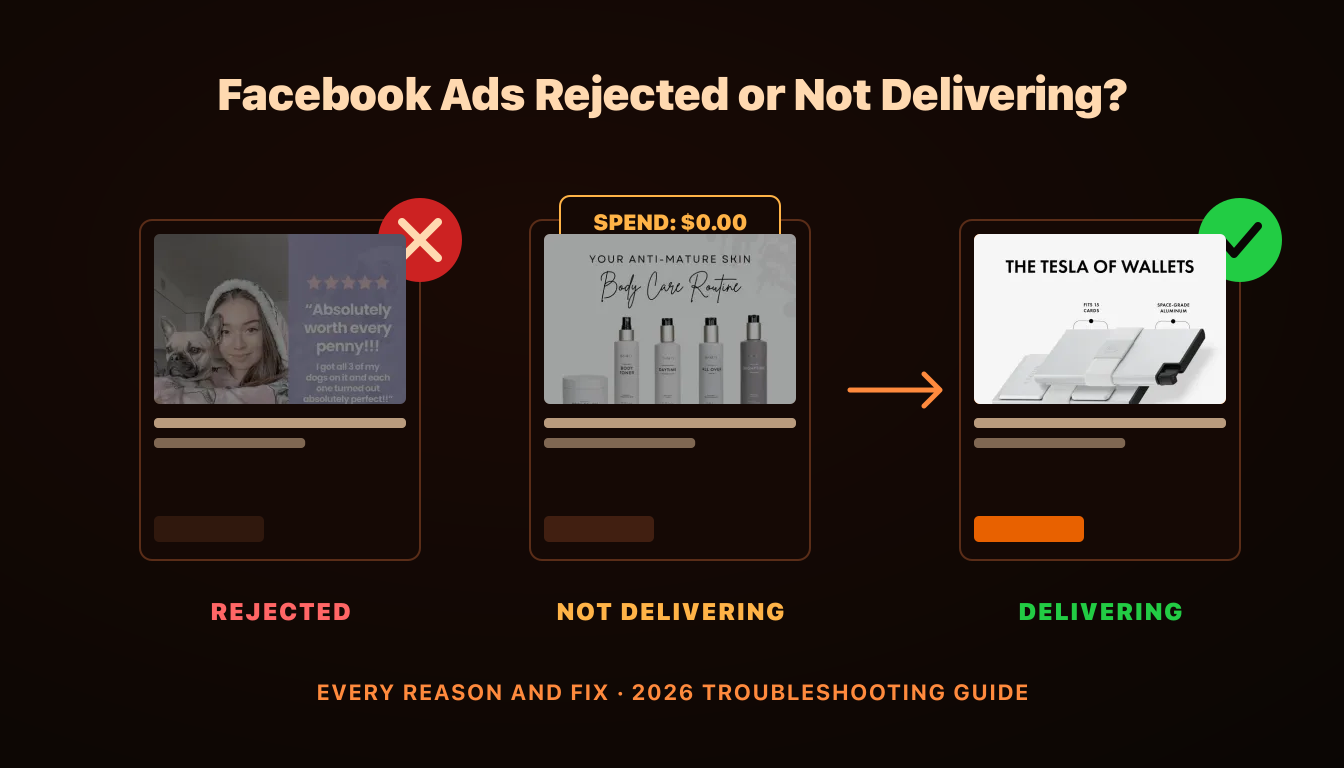
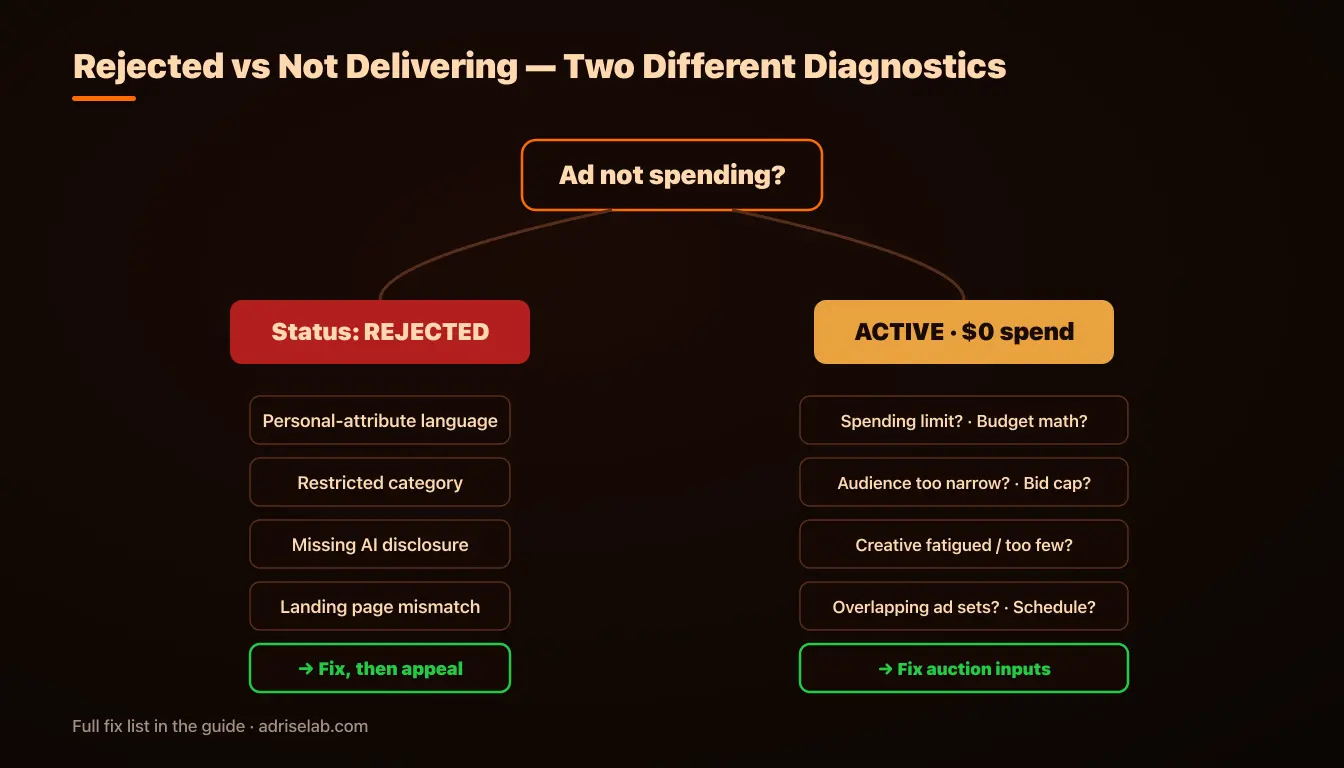
A rejected ad and an approved ad that won't spend look similar in your results column — zero delivery — but they're entirely different problems. Rejection is a policy event with an appeal path; non-delivery is an auction event with a diagnostic path. This guide covers both: the rejection triggers that catch legitimate advertisers in 2026, the appeal process that actually works, and the seven causes behind "active but spending nothing," each with its fix.
Part 1: Why Ads Get Rejected in 2026
Meta's ad review is automated-first: most ads are approved or rejected within minutes by machine classification, with human review reserved for appeals and edge cases. That architecture explains the two things advertisers find maddening — rejections with generic explanations, and obviously compliant ads getting flagged. The system optimizes for catching violations at scale, and accepts false positives that the appeal process is designed to correct.
Personal Attributes: The #1 Trigger Advertisers Don't See Coming
Meta prohibits ads that assert or imply personal attributes — health conditions, financial status, age, religion, sexual orientation — about the viewer. The violation is in the framing, not the topic: "Struggling with acne?" implies the viewer has acne (rejected); "Acne treatment that works in 2 weeks" describes the product (approved). The same applies to "your debt," "are you over 50?", and "for people with diabetes." Audit every second-person sentence in your copy and overlay text — Meta's OCR reads text inside images too.
Restricted and Regulated Categories
Some categories require pre-authorization or carry special rules: credit and financial products, employment, housing, social issues and politics, gambling, alcohol, dating, health and weight loss claims, and supplements. Two patterns catch people: operating in an adjacent category the classifier lumps in (fitness coaching read as weight-loss claims), and before/after imagery, which remains restricted for health and body transformation regardless of how tasteful it is.
Missing AI Disclosure
New enforcement weight in 2025-2026: ads with meaningfully AI-generated content — photorealistic imagery, AI voiceover, synthetic presenters — require the AI Info toggle in Ads Manager. The detection model cross-checks your toggle against its own classification, and concealment is treated as circumvention, a more serious violation class than the content itself. The complete rules are in our AI disclosure compliance guide; the operational habit is simple: toggle it on by default for AI-assisted creatives.
Landing Page Violations
Review evaluates your destination, not just your ad. Rejection triggers on the page: mismatched content (the ad promises something the page doesn't deliver), aggressive popups or interstitials blocking content, missing privacy policy on lead-capture pages, auto-downloads, and non-functional pages — including geo-blocks that prevent Meta's crawler from loading the page at all. If your compliant ad keeps rejecting, the page is the suspect.
Circumvention Attempts
Deliberately misspelled flagged words ("w3ight l0ss"), text hidden in images, cloaked landing pages showing reviewers different content than users — these belong to Meta's most severely punished violation class, the one that produces account-level restrictions rather than ad-level rejections. Never worth it: the detection systems are specifically tuned for evasion patterns, and the penalty asymmetry is brutal.
The Appeal Process That Works
When a legitimate ad is rejected: request review from Ads Manager or, better, from Account Quality (business.facebook.com/accountquality), which centralizes all enforcement against your assets. Appeals resolve in 24-48 hours and overturn a meaningful share of automated rejections. Three rules: appeal once and wait (repeated edits during appeal confuse the queue), rebuild chronic false-positive ads as fresh ad objects instead of re-appealing the same one, and monitor Account Quality monthly — rejection history accumulates against your account even when individual appeals succeed.
Part 2: Approved But Not Delivering — The 7 Causes
If the ad says Active and spend is zero or trickling, you have an auction problem. Work through these in order:
1. Account spending limit. Settings → Billing → Spending limits. A forgotten limit set during setup silently caps everything. Ten-second check, surprisingly frequent culprit.
2. Budget too low to learn. An ad set needs ~50 conversion events weekly to exit the learning phase; a $10/day budget against a $40 CPA can't get there, and delivery throttles in "Learning limited." Fix: consolidate budgets into fewer ad sets, or optimize for a higher-volume event up the funnel.
3. Audience too narrow. Stacked interests, small custom audiences, tight geo plus exclusions — the auction pool shrinks until delivery stalls. In 2026 the fix is almost always going broader and letting creative signals do the targeting.
4. Bid or cost cap below market. Any cap below what the auction clears means you lose every auction silently. Test: switch to highest volume bidding; if delivery resumes, your cap was the cause — re-introduce it 20-30% looser if you need it at all.
5. Low-competitiveness creative. The auction ranks ads partly on predicted engagement; creatives the system scores poorly — or fatigued creatives whose quality ranking has decayed — get progressively starved. The signature: delivery that declined over days rather than never starting. Fix: fresh, genuinely diverse creatives, not budget pushes.
6. Self-competition from overlapping ad sets. Multiple ad sets bidding on the same users fragment learning and suppress each other. Meta's auction overlap tools show it; consolidation fixes it — see account structure for maximum ROAS.
7. Scheduling and start-state issues. Campaign start dates in the future, dayparting windows, paused parent campaigns with active children. Mundane, real, worth thirty seconds.
The Prevention Layer
Both problem classes shrink with the same operational habits: validate copy against the personal-attributes rule before launch, keep AI disclosure on by default, keep landing pages fast and consistent with the ad, fund ad sets at learning-phase math, and maintain a creative pipeline fresh enough that auction competitiveness never decays into silence. Teams running weekly creative rotation rarely see cause #5 — which is the most common of the seven.
AdRiseLab generates policy-aware, Andromeda-optimized creatives from your product URL — with AI disclosure metadata pre-configured and enough structural diversity that delivery never starves for fresh signals. Get started with AdRiseLab.
Related Reading
Deep-dives on the causes above: the learning phase explained, creative fatigue detection, AI disclosure rules, and account structure that avoids self-competition.